
Start anywhere
Staff can use the app, share an expiring public link or QR code, or pass along a clean ticket summary in WhatsApp.
Maintenance operations for real working teams
A job comes in. The right person says: On it!
Report, assign, resolve, approve, and find the history later. Workdesk gives every location, technician, and supervisor the view they need without rebuilding the day from chat messages.
Product overview
Follow the ticket through assignment, field work, preventive planning, evidence, and owner review in under a minute.
Visit the YouTube channelA complete handoff
Every action becomes part of the ticket, so the next person knows what happened without asking the whole group again.
Staff can use the app, share an expiring public link or QR code, or pass along a clean ticket summary in WhatsApp.
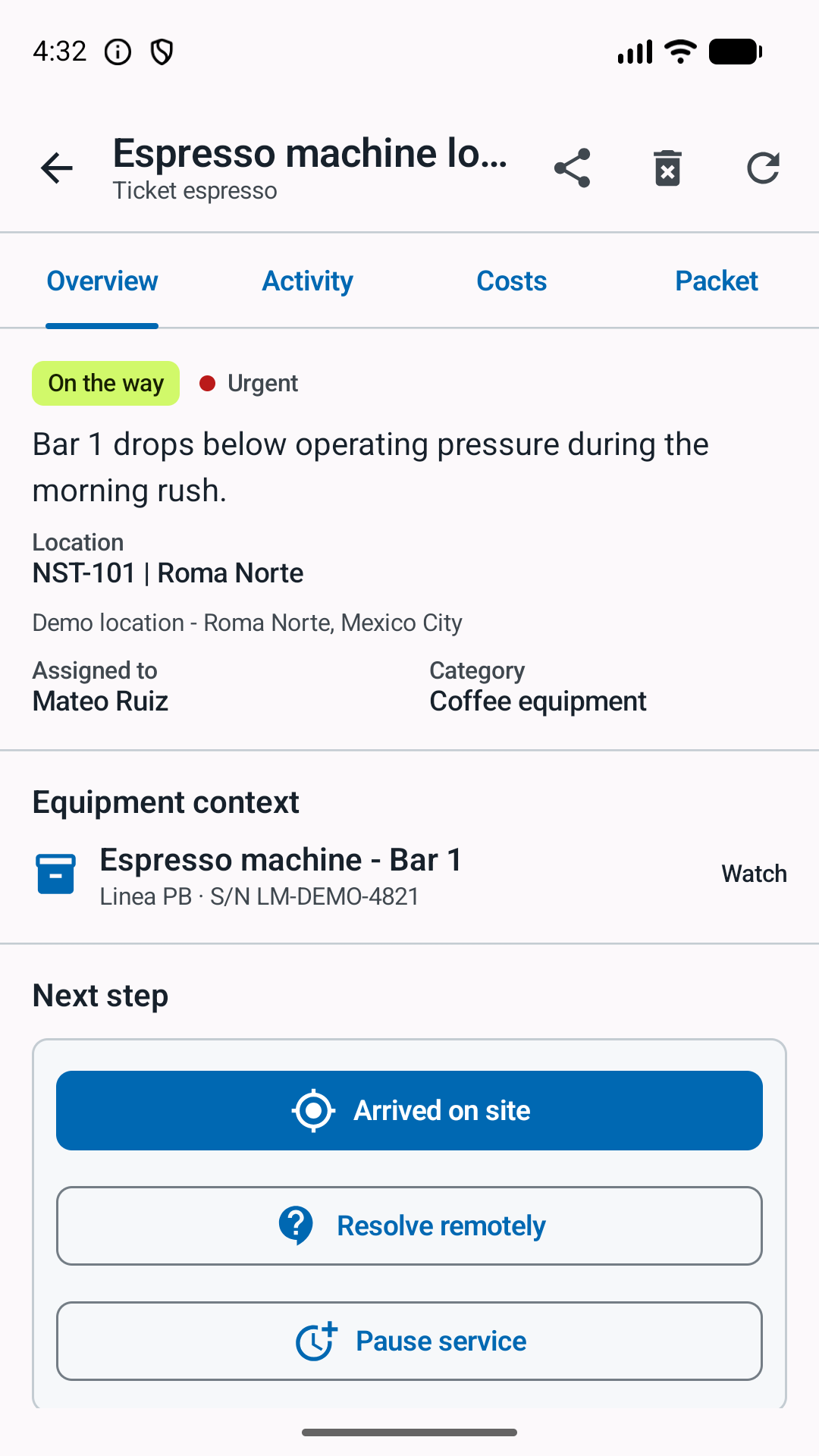
Route by category, assign or claim the work, record travel and arrival, and transfer responsibility when coverage changes.
Add notes, photos, materials, expenses, invoices, follow-up visits, and completion evidence to one durable timeline.
Approve, request follow-up, close by supervisor when appropriate, and retrieve the record by location or equipment later.
The actual product
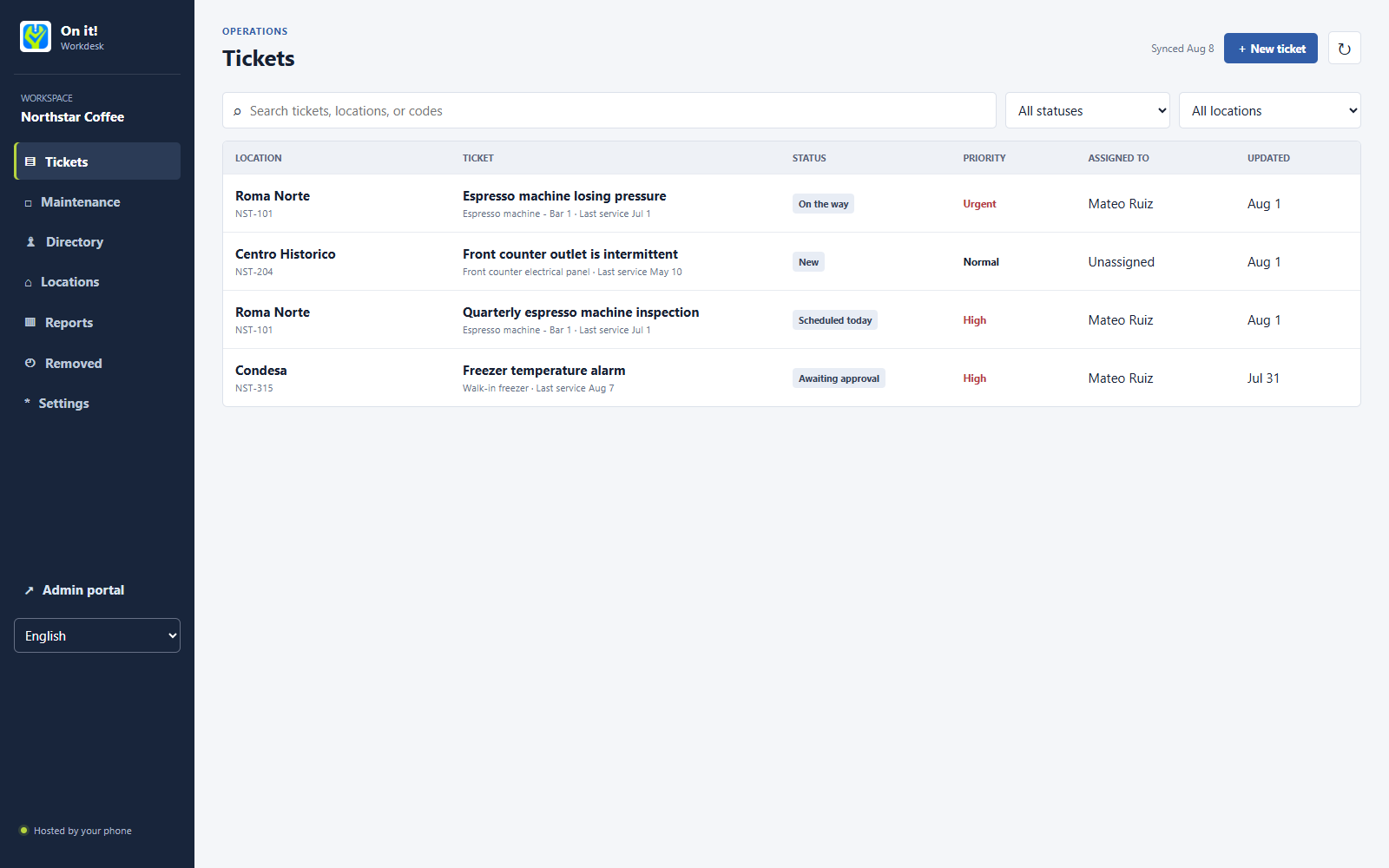
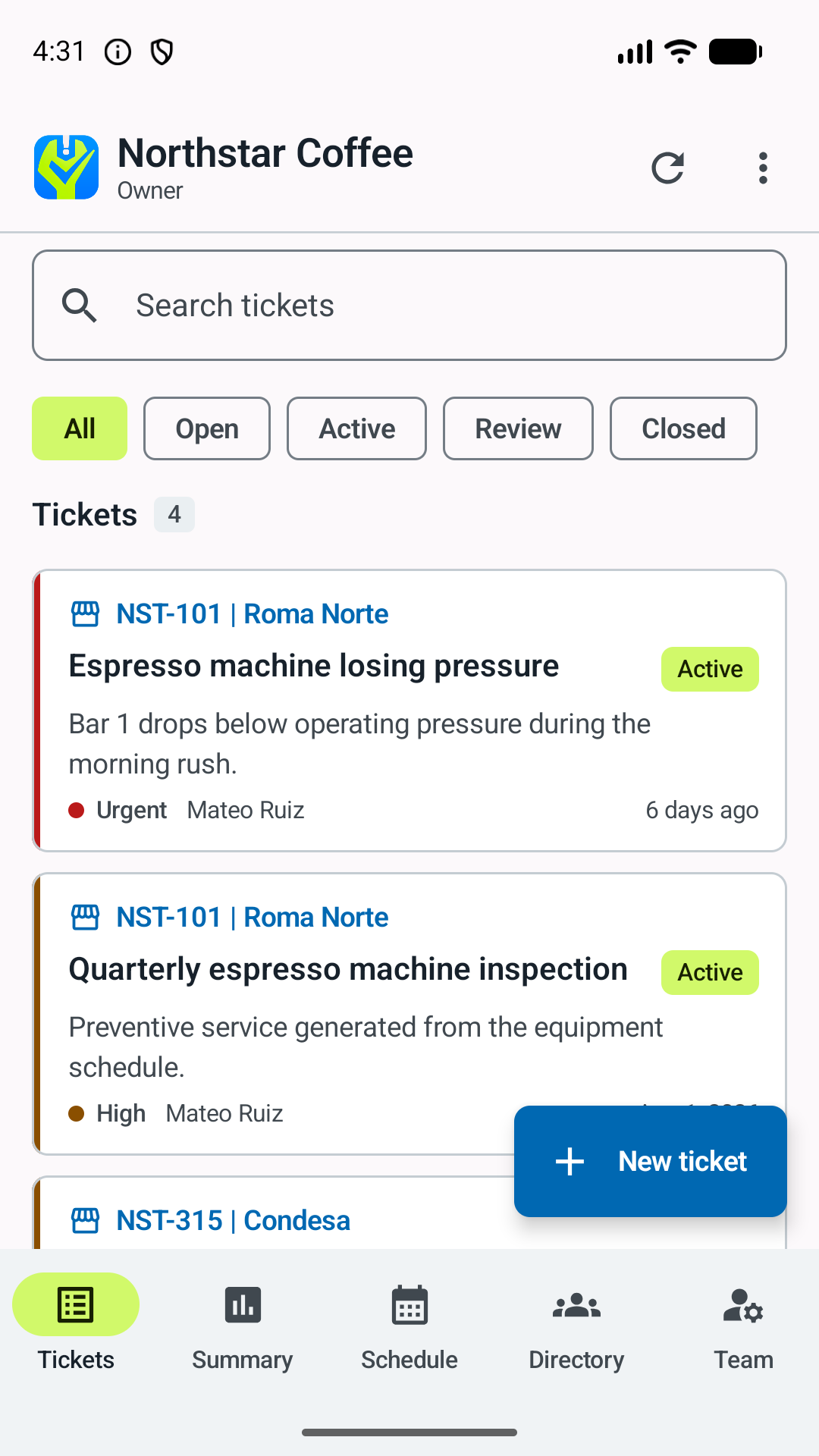
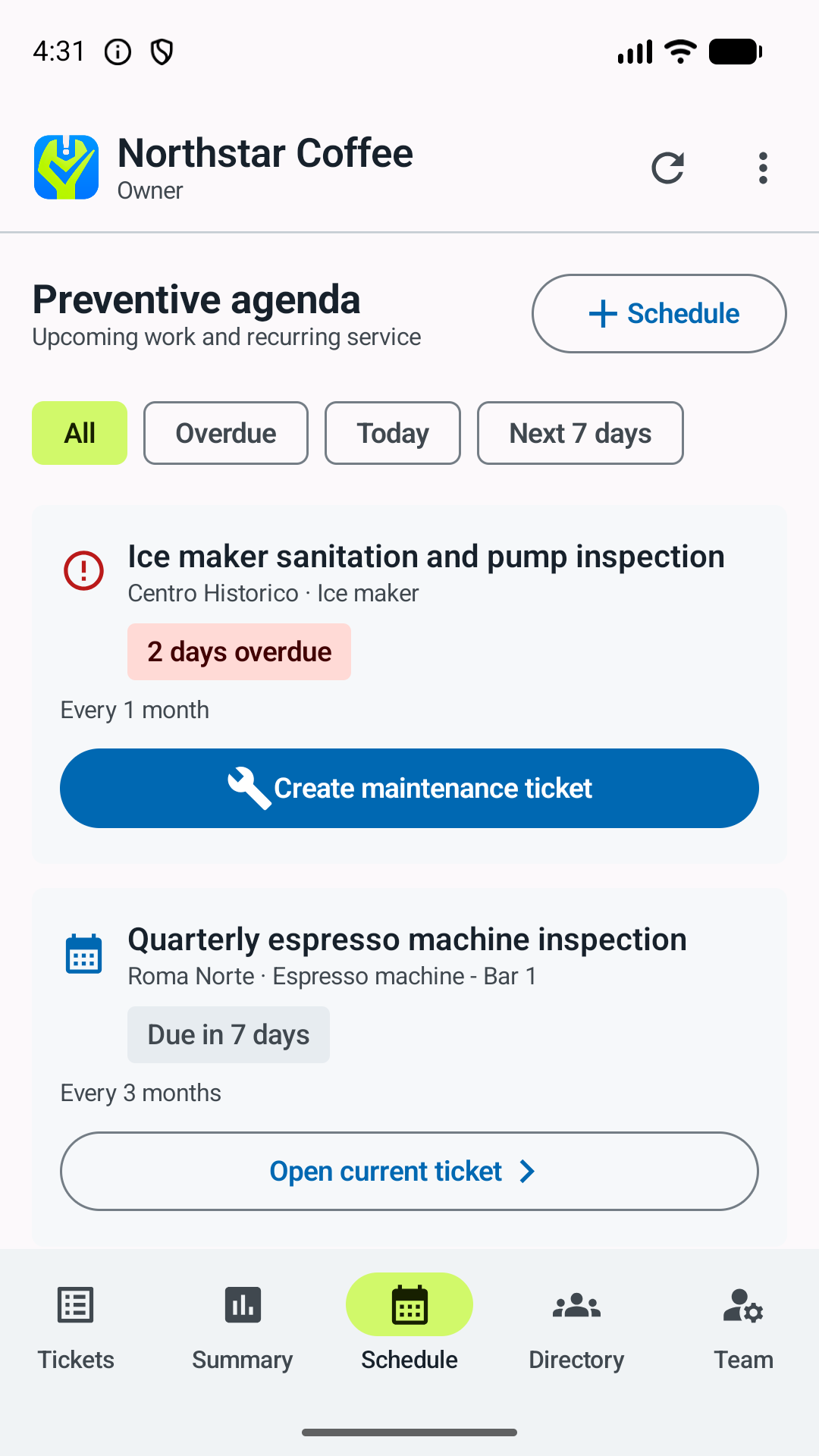
The same workspace stays useful on a phone in the field and on a larger screen when managers need to compare the whole operation.
Daily operations
Location, category, priority, status, and assignment are visible before opening a ticket. Supervisors can focus on their responsibilities without hiding the wider history from the organization.
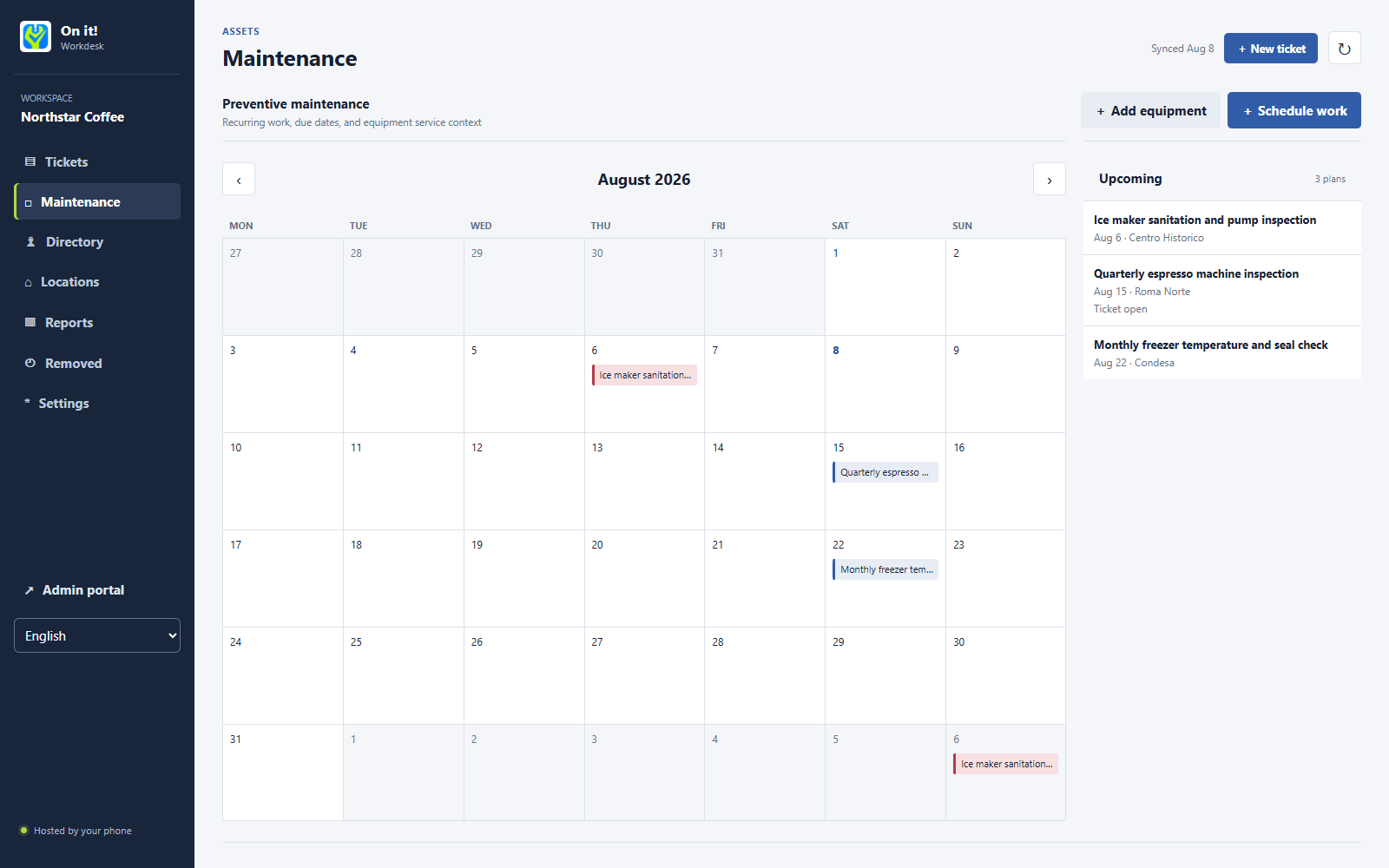
Preventive work
Start an equipment record with only a familiar name. Add the model, serial number, condition, or service details later as reliable information becomes available.
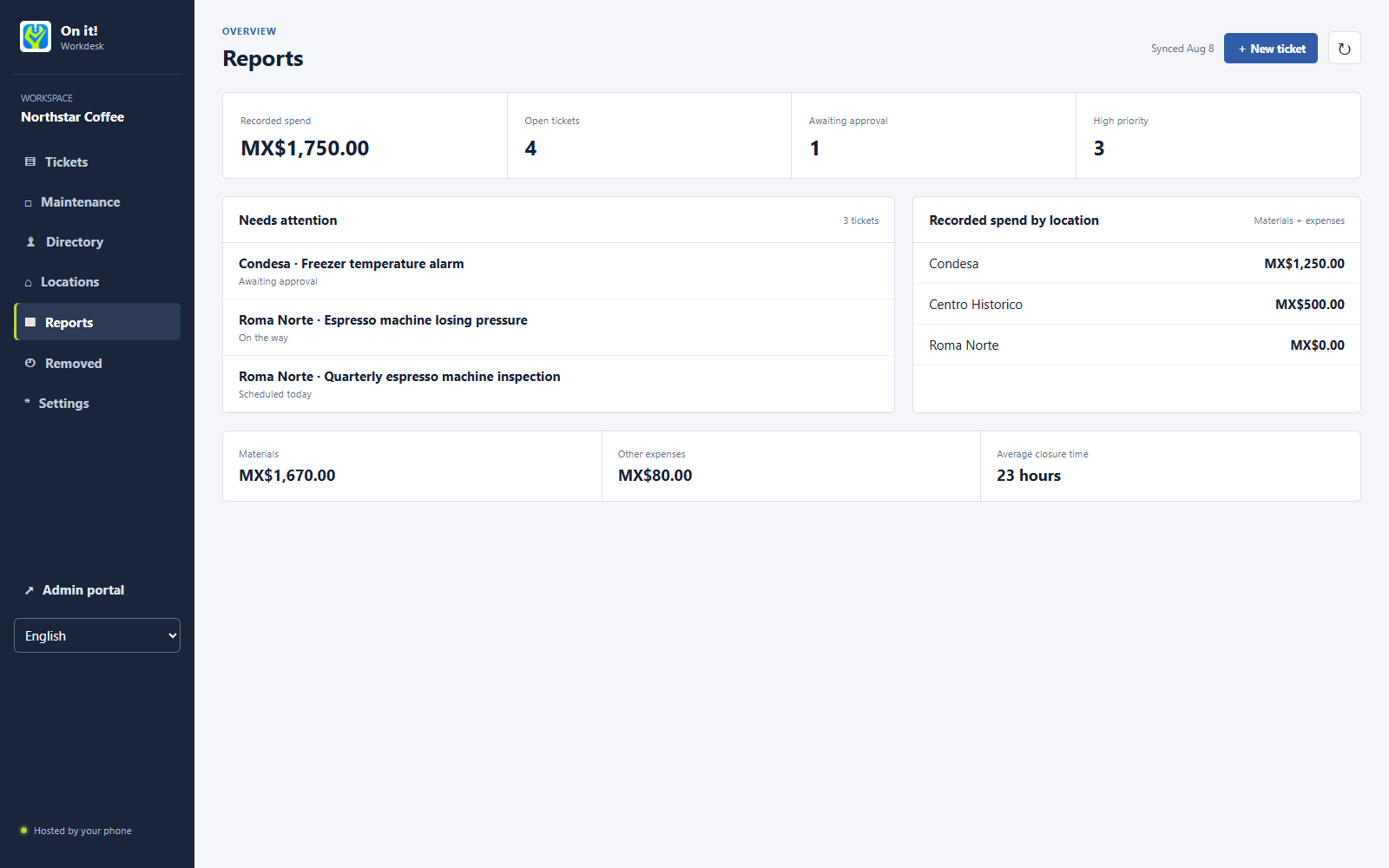
Operational overview
Materials, other expenses, invoices, closure time, and open work stay connected to the location and ticket that explain them.
Right view, right moment
Roles, locations, category responsibilities, and ticket participation keep each person close to the work they actually need.
Report an issue, see who owns it, ask for follow-up, approve completion, and review local history.
Work a focused queue, preserve full-quality originals locally, and send compressed evidence efficiently.
Own categories, cover absences, reassign work, close appropriate tickets, and keep follow-up visible.
Manage locations and people, set workflow policies, review spend, control billing, and export the workspace.
Operational trust
Verified sign-in, revocable sessions, role checks, private object storage, and auditable actions protect workspace records.
Arrival checks are event-based and configurable. Workdesk is not a continuous employee-tracking product.
Owners can export workspace data. A billing problem does not erase the organization's record overnight.
Storage-based pricing
Every plan includes the complete workflow, unlimited members, unlimited locations, and unlimited ticket records. Plans differ by shared file storage.
5 GB shared storage
For a small operation beginning to build a maintenance record.
10 GB shared storage
For teams keeping regular photos, documents, and equipment history.
20 GB shared storage
For multi-location teams with frequent evidence and preventive work.
50 GB shared storage
For evidence-heavy operations and longer active file history. Larger requirements are quoted separately.
The first workspace of an eligible verified owner automatically receives one free 30-day introductory month. It includes the complete workflow and 1 GB of shared storage, with no payment method, automatic renewal, or automatic charge. After it ends, the workspace is parked for 30 days for subscription or export before scheduled deletion. USD is the base price. MXN uses the fixed Workdesk reference of USD 1 = MXN 20. Other conversions are indicative; Google Play or Stripe shows the final local amount, tax, billing cycle, and renewal terms before purchase. Paid subscriptions renew automatically until canceled.
A predictable exit
Workdesk states what happens before data is removed and gives owners time to export it. Legal and fiscal records may remain blocked for the period required by law.
Read the legal centerThe workspace becomes restricted. Available operational data and files are retained for up to 3 months for reactivation or export.
A verified deletion request enters a 30-day period. The user can export available data and cancel the request before final deletion.
Payment, tax, fraud-prevention, and dispute records may be retained separately when law requires it and are not restored as active workspace data.
The first public test is open to teams ready to use the complete workflow in real operations.